Total
The Total section in the Order View Flow provides a financial summary of the selected order. It displays a breakdown of all monetary components involved in the transaction, including subtotal, taxes, shipping fees, discounts, and the final payable amount. This section helps users verify the total amount charged to the customer and ensures transparency in pricing and calculations.
Order Total UI Reference Table
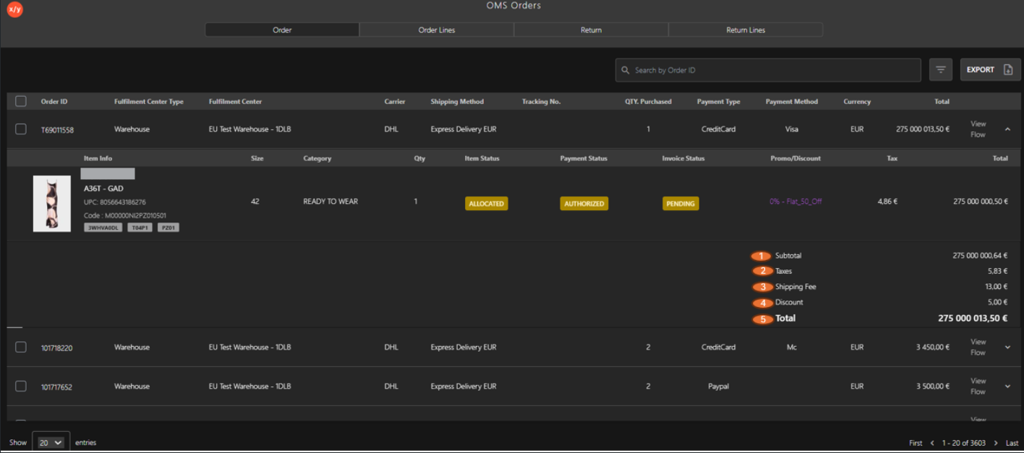
The following table describes the features that support common follow-up tasks.
| Callout ID | Feature | Description |
|---|---|---|
| 1 | Subtotal | Displays the total value of items before applying taxes, shipping fees, or discounts. |
| 2 | Taxes | Shows the total tax amount applied to the order. |
| 3 | Shipping Fee | Indicates the shipping charges applied to the order. |
| 4 | Discount | Displays any promotional or manual discount applied to the order. |
| 5 | Total | Final amount charged to the customer after adding taxes and shipping fees and applying discounts. |